Free Download for Android

View an ad to download for free

Google Maps Go: Lightweight maps and transit for low-end Android

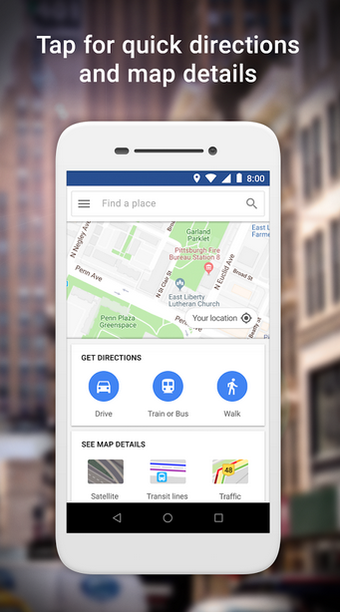
Google Maps Go - Directions Traffic Transit, from Google LLC, is a compact mapping client designed to deliver essential navigation and place discovery on constrained hardware. It supplies core functions such as location tracking, real-time traffic, transit directions, search, and step-by-step routing for driving, walking, cycling, and public transport. The app targets entry-level Android users and people on weak cellular networks, offering fast map lookups and basic route planning with a low resource footprint.

What the app actually is and how it runs

Google Maps Go is implemented as a Progressive Web App that uses the Google Chrome engine to present mapping features without a large native install. The app focuses on the fundamentals of navigation and place search while avoiding heavy 3D rendering and extra visual effects. That delivery model keeps the interface compact and lets the map experience run on devices that cannot host the full Maps package.

How reliable its traffic and transit data are in practice

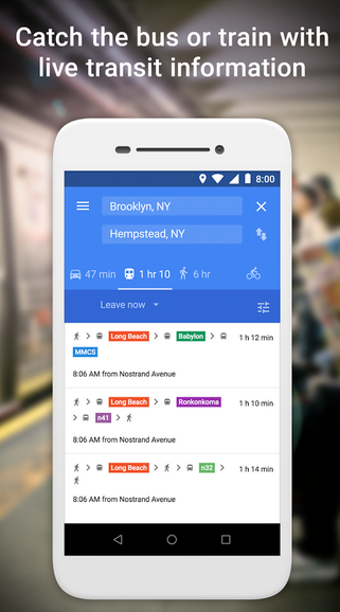
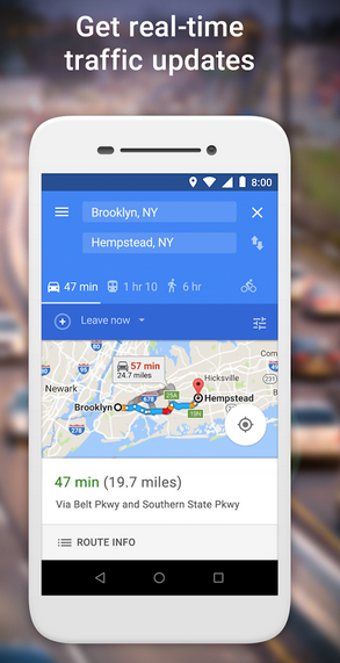
The app provides real-time traffic updates and live public transport schedules, and it pulls mapping data spanning many countries and languages. Data freshness depends on network connectivity, and the app is optimized for 2G and 3G conditions to preserve responsiveness. Users should note it does not include an offline maps download feature, so route and schedule information require an active connection.

Device compatibility and the connection model

The tool is optimized for Android devices running Android Oreo (Go edition) and higher and is intended for handsets with low memory, including devices with around 1GB of RAM or less. It does not require device modification. Voice turn-by-turn guidance is provided only through a separate companion navigation app, reflecting a modular approach to keep the main client light.

Intended use cases and practical limits to expect

The app serves shoppers, commuters, and travelers who need fast place lookup and route directions on entry-level phones or unstable networks. It integrates business listings and phone/address details for discovery and contact. Expect a pared-down interface that prioritizes speed and discovery over advanced in-app navigation features and local offline storage of map tiles.

A practical choice for constrained devices, with clear trade-offs

Reception among its target users highlights speed and efficiency, and the app’s ultra-compact storage footprint (about 100 times smaller than the full Maps package) underlines that focus. For anyone who values fast map queries and low resource use on older handsets, this is a practical option; users who need integrated voice guidance or offline maps should plan for those features to be handled outside the main client.


  • Pros

    • PWA architecture keeps the install tiny and responsive on weak hardware
    • Real-time traffic updates and live transit schedules included
    • Optimized for entry-level devices, including ~1GB RAM handsets
    • Search covers millions of places with business contact details
  • Cons

    • No built-in turn-by-turn voice guidance in the main app
    • Does not support downloading offline maps for offline use
    • Requires Google Chrome to run as a Progressive Web App
 0/3

App specs

  • Developer

  • License

    Free

  • Version

    165.0
  • Latest update

  • Platform

    Android

  • OS

    Android 15.0

  • Language

    English

    Available languages

    • English
    • Norwegian
    • Finnish
    • Portuguese
    • French
    • Swedish
    • Korean
    • Chinese
    • Italian
    • Spanish
    • Czech
    • Arabic
    • Japanese
    • Danish
    • Dutch
    • German
    • Greek
    • Russian
    • Portuguese
    • Chinese
    • Polish
    • Turkish
  • Downloads

    10.5K

    Last month's downloads

    • 368
  • Size

    1.34 MB

  • Download Options

    APK, Google Play

  • Filename

    com.google.android.apps.mapslite_165.0.apk

Program available in other languages


Free APK Download for Android

View an ad to download for free


User reviews about Google Maps Go - Directions Traffic Transit

Have you tried Google Maps Go - Directions Traffic Transit? Be the first to leave your opinion!

Add review

You may also like

Alternatives to Google Maps Go - Directions Traffic Transit

Explore Apps

Latest articles

Laws concerning the use of this software vary from country to country. We do not encourage or condone the use of this program if it is in violation of these laws.

Softonic

Is Google Maps Go - Directions Traffic Transit safe?

100/100

Score result: Clean

This file passed a comprehensive security scan using VirusTotal technology. It is safe to download.

  • Virus free
  • Spyware free
  • Malware free
  • Verified by Security Partners

    VirusTotal logo

Scan Info

Last scan
Friday, May 29, 2026
Scan provider
VirusTotal · Full report

File Integrity

File
com.google.android.apps.mapslite_165.0.apk
SHA256
ed72abe58199ff424452307bd53235e436fa4e7919c8b72bd114d96639505aea
SHA1
683252bfd9c0ce18534db2a97f1f70bea15af812

Softonic security commitment

Google Maps Go - Directions Traffic Transit has been thoroughly scanned by our advanced security systems and verified by industry-leading partners. This file comes from the official developer and has passed all our security checks, showing no signs of viruses, malware, or spyware. For more information, visit our Security and Trust Center

Softonic

What is a Validated Developer?

Validated Dev

This badge indicates that Softonic has received authorization to offer the software from the developer or a designated representative, through the Softonic Publisher Center or other agreements. Content, ownership and compliance are responsibility of the developer.

More details in terms and conditions.

Are you a developer?

Join the Softonic Publishing Center and reach millions of users.

Not a developer?

Signed in to Softonic as